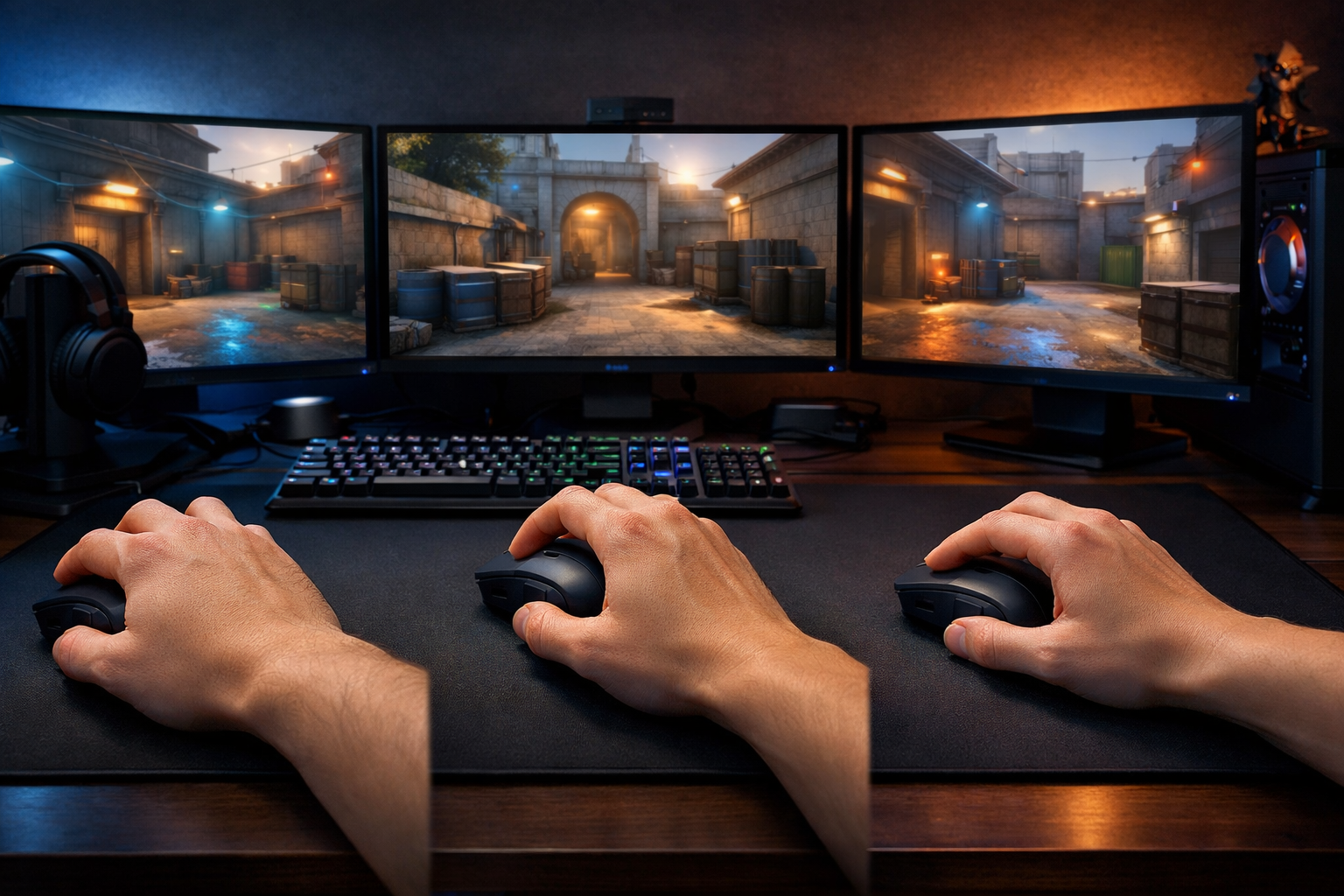
Best mouse grip for cs2: palm vs claw vs fingertip
The best mouse grip for CS2 depends on how you balance control, speed, and comfort. For most players, the best mouse grip for CS2 is the one that keeps micro-adjustments stable without making fast flicks feel forced.
TL;DR
- Claw is often the safest all-around choice because it balances stability and quick corrections.
- Palm gives more support and comfort, while fingertip gives more agility but less forgiveness.
- The best grip is the one that makes your misses predictable and your first bullet repeatable.
Mouse grip changes how your aim behaves before you touch sensitivity or crosshair settings. In CS2, that matters because tracking, first-bullet placement, and spray correction all depend on how steadily you move the mouse.
If you are still building your setup, a good mouse shape matters as much as grip style. Our best mouse CS2 guide can help you match shape and weight to the grip you want to use.
The real tradeoff behind the best mouse grip for CS2
The main tradeoff is simple: more hand contact usually gives more stability, while less hand contact often gives more freedom for quick adjustments. That is why the best mouse grip for CS2 is not identical for every player.
Palm grip places more of your hand on the mouse. Claw grip lifts part of the palm and bends the fingers. Fingertip grip relies mostly on the fingertips, with minimal palm support.
In practical terms, palm often feels calmer in long angles and spray control. Fingertip often feels faster for tiny direction changes. Claw sits between them, which is why many players see it as the most balanced option.
| Grip style | What improves | What gets worse | Best fit in CS2 |
|---|---|---|---|
| Palm | Stability, comfort, smooth tracking | Fast micro-corrections can feel slower | Riflers who value consistency |
| Claw | Balance of control and reactivity | Can create finger tension over time | Players who mix flicks and spray control |
| Fingertip | Quick adjustments, agile flicks | Less support, less relaxed tracking | Aimers who prefer speed and light mice |
What each grip style improves and what it costs
Palm grip: steady aim, lower freedom
Palm grip usually feels the most natural over long sessions. Because the hand rests more fully on the shell, it can make horizontal tracking and recoil control feel smoother.
The downside is reduced finger-driven movement. If you rely on very fast micro-corrections around head level, palm can feel slightly slower to redirect, especially on smaller targets or tight peeks.
This does not mean palm is bad for CS2 aim. It means palm favors consistency over sharp reactivity. For many players, that tradeoff is useful in real matches where clean first bullets matter more than flashy flicks.
Claw and fingertip: more reactivity, less support
Claw grip often gives the widest middle ground. You keep some palm contact for control, but your fingers stay active enough for quick corrections. That balance is a strong reason many players consider claw the best mouse grip for CS2.
Fingertip grip pushes that idea further. It can feel very responsive with a light mouse such as the Finalmouse Ultralight X, but it also asks more from your fingers and wrist.
In many cases, fingertip works best for players who already have clean mouse control. If your aim becomes shaky under pressure, the extra freedom can turn into inconsistency rather than better precision.
- Palm favors comfort and stable sprays.
- Claw favors balanced control and quick corrections.
- Fingertip favors agility and fast target switching.
- Mouse shape can make one grip feel much better than another.
Common mistakes when comparing palm, claw, and fingertip
A common mistake is assuming the fastest-looking grip is automatically the best mouse grip for CS2. Speed only helps when you can stop the mouse cleanly on target. If your stop is unstable, extra freedom does not improve accuracy.
Another mistake is copying a grip because a skilled player uses a similar posture. Looking at a electronic settings page can be useful for context, but grip choice still depends on your hand size, mouse shape, and aiming habits.
Players also ignore surface friction too often. A slower pad can make fingertip feel more controlled, while a faster pad can make palm feel less heavy. If your setup feels off, compare it with options in this best mousepad for CS2 guide before changing everything else.
The last wrong assumption is that one grip must fit every weapon role. In reality, your style can shift slightly. A player may use a mostly claw grip but flatten into a palm-like hold during sprays or tense retakes.
Which grip style is the best mouse grip for CS2 by player type?
If you want the safest recommendation, claw is often the best mouse grip for CS2 for all-around play. It usually gives enough stability for rifles and enough freedom for fast corrections, without the extremes of palm or fingertip.
Palm is often the better choice if your aim already feels rushed or shaky. It can calm your movement, reduce overflicking, and help you stay more repeatable in duels. That makes it a strong option for players who value structure over raw speed.
Fingertip can be the best mouse grip for CS2 if you prefer very light mice, active wrist aim, and quick target switching. It is less forgiving, though, so it tends to reward refined mouse control more than it creates it.
Use this simple recommendation path:
- Choose palm if comfort and spray stability matter most.
- Choose claw if you want the best balance for general CS2 aim.
- Choose fingertip if you want maximum agility and can control it.
Practical recommendation: pick the grip that keeps your misses predictable
The best mouse grip for CS2 is the one that makes your misses readable. If you always overflick, add stability. If you feel stuck and slow, add finger freedom. Predictable mistakes are easier to fix than random ones.
Start with claw if you are unsure. Then test whether a flatter palm position improves control or a lighter fingertip position improves reactivity. Keep the version that helps your first bullet and follow-up correction feel repeatable across several matches.
If you are still comparing shapes, weights, and full setup choices, browse the wider options on CS2Config. The right grip style usually becomes clearer once your mouse and pad match the way you aim.
For most players, the answer is not about chasing the most aggressive style. It is about finding the tradeoff that lets you aim with confidence when rounds get tense.
FAQ
Is claw grip best for most CS2 players?
Claw grip is often the safest recommendation because it balances control and reactivity. It can support steady rifle aim while still allowing quick micro-adjustments. That said, it is not automatically best for everyone, since hand size, mouse shape, and comfort still matter.
Does fingertip grip improve flicks in CS2?
Fingertip grip can make flicks and small direction changes feel faster because your fingers stay very active. The tradeoff is lower support during tracking and spray control. If your aim already feels unstable, fingertip can make misses less consistent rather than more accurate.
Should I change my mouse for a new grip?
Sometimes yes, because mouse shape strongly affects how natural a grip feels. A low-profile, lightweight mouse can suit fingertip better, while fuller shapes often feel better for palm or relaxed claw. If a grip feels forced, the mouse may be the real issue.