What resolution do pros use in cs2?
Pro resolution CS2 usually means either 1280×960 stretched or a native 16:9 option like 1920×1080. The short answer is that many pros still prefer 4:3 for a larger player model feel, while others stay native for clarity and wider view.
TL;DR
- Most CS2 pros use either 4:3 stretched or native 16:9, not one universal resolution.
- 4:3 can make models look wider, while 16:9 keeps better clarity and full screen width.
- Beginners should test one setting for several matches before deciding what feels more consistent.
If you are new to settings, the easiest answer is simple: there is no single pro resolution CS2 standard. Most players you will see fall into two groups. They either use a 4:3 resolution, often stretched, or they use a native 16:9 resolution for a cleaner image.
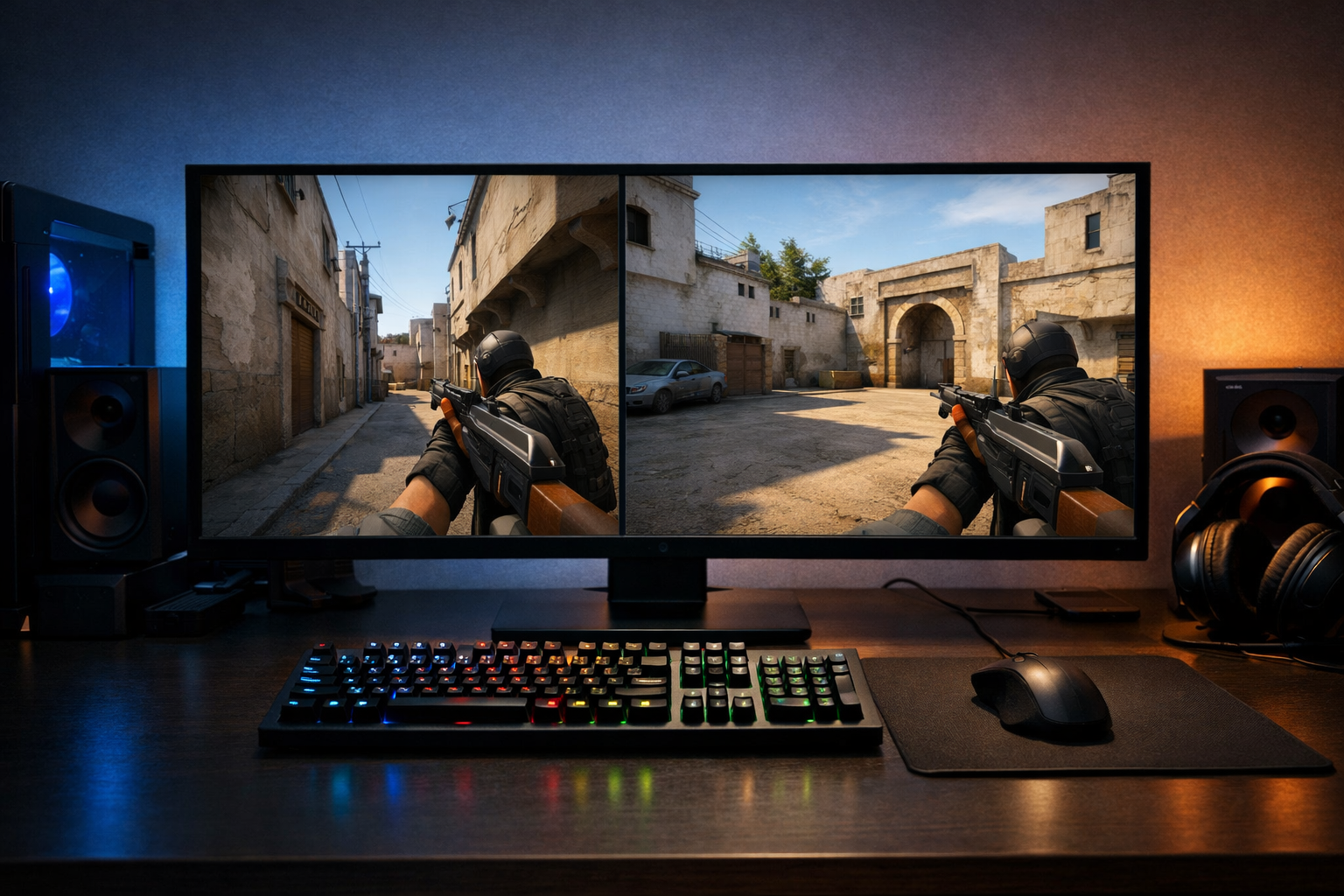
That split exists because resolution changes how the game looks and feels, not just how sharp it appears. In CS2, a lower 4:3 setting can make enemy models appear wider on screen. A native setting keeps the image more natural and gives you the full horizontal field of view.
For a quick reference point, you can browse the broader CS2 guides hub if you want to compare this setting with sensitivity, crosshair, and video options.
What pro resolution CS2 usually means
When players search for pro resolution CS2, they usually want to know which resolutions appear most often in pro settings pages. In practice, the common conversation is not about every possible resolution. It is mostly about 4:3 stretched versus 16:9 native.
4:3 stretched means the game renders in a 4:3 aspect ratio, then expands to fill a widescreen monitor. This can make models look wider and can make aiming feel more direct for some players. It also reduces horizontal view compared with native widescreen.
16:9 native means the game matches the monitor’s normal widescreen shape. The image looks more proportionate, UI elements often feel cleaner, and you keep the full width of your screen. Many players find this easier for spotting utility, spacing, and off-angle positions.
If you want to see how individual pros set up their game, a player page like ropz CS2 settings can help you compare one complete setup instead of looking at resolution alone.
Terms beginners often mix up
Resolution and aspect ratio are related, but they are not the same thing. Resolution is the pixel count, such as 1280×960 or 1920×1080. Aspect ratio is the shape of that image, such as 4:3 or 16:9.
Stretching is another separate idea. You can run a 4:3 resolution with black bars, where the image keeps its original shape, or stretched, where it fills the whole screen. When people discuss pro resolution CS2 choices, they often mean both the resolution and whether it is stretched.
Native resolution means the monitor’s normal pixel count and shape. On many gaming monitors, that is 1920×1080 in 16:9. If you use a common esports display from a brand like ZOWIE monitors, native 1080p is a familiar baseline.
Why 4:3 still stays popular
Many players are used to the visual rhythm of 4:3 from older Counter-Strike versions. That familiarity can matter. A setting that feels predictable can be easier to trust during peeks, sprays, and fast crosshair adjustments.
There is also the perception benefit. Wider-looking models can feel easier to track, especially for beginners who struggle with micro-adjustments. That does not mean 4:3 is automatically better, but it explains why pro resolution CS2 discussions keep returning to it.
Why some pros stay on native
Native resolution gives more horizontal information. That can help when clearing angles, reading utility, and holding wider spaces. The image also tends to look sharper, which some players prefer for long-range fights.
For many people, native simply feels more natural. If stretched visuals look too fast or too distorted to you, native can be the safer starting point.
How beginners should choose a safe starting resolution
The safest approach is to choose based on comfort, not on copying one player blindly. Pro resolution CS2 trends can give you a starting point, but your monitor size, distance, and visual preference still matter.
Start with one of these two options and give each a fair test:
- 1280×960 stretched if you want larger-looking models and a more zoomed-in feel
- 1920×1080 native if you want a clearer image and full screen width
Play each option for several matches, not just a few rounds. Quick swaps can make any setting feel wrong because your eyes and movement timing have not adjusted yet. Keep your sensitivity, crosshair, and brightness the same while testing.
If you want another example setup to compare, the Jame CS2 settings page is useful for seeing how one pro setup fits together as a whole.
Common mistakes when copying pro settings
The biggest mistake is assuming pro resolution CS2 choices work the same for everyone. Pros build habits over thousands of hours. A resolution that supports their timing and visual processing may feel awkward for a newer player.
Another mistake is changing too many settings at once. If you switch resolution, sensitivity, crosshair, and monitor scaling together, you will not know what actually helped or hurt your aim.
A third mistake is judging only by deathmatch. Resolution affects more than raw aim. It can also change how comfortable you feel while clearing sites, holding utility, and reading space during real rounds.
Some players also chase lower resolution for performance without checking whether they already have stable frames. If your PC runs CS2 well at native, dropping resolution may not give enough benefit to justify the visual tradeoff.
Best next step if you are still unsure
If you do not know where to begin, start native for one week, then test 1280×960 stretched for one week. Track simple things: how easy it is to spot players, how comfortable sprays feel, and whether movement looks readable during peeks.
This method gives you a practical answer faster than copying a random screenshot. Pro resolution CS2 trends are useful, but your own consistency matters more than matching a popular setup.
When you want more examples, compare a few full player pages and look for patterns rather than one perfect answer. That is the most reliable way to turn pro settings into something useful for your own game.
FAQ
Do most pros use stretched resolution in CS2?
Many pros often use 4:3 stretched, but not all of them do. Native 16:9 is also common. The main point is that pro players usually choose the option that feels most readable and consistent for their own aim and movement timing.
Is 1280×960 the best beginner resolution?
It can be a safe starting point if you want to try 4:3 stretched, because it is one of the most common choices. Still, it is not automatically best for every beginner. Native 1920×1080 can be easier if you prefer a clearer and less distorted image.
Does resolution change aim in CS2?
Resolution does not directly change your mouse sensitivity, but it can change how targets look and how fast movement appears on screen. In many cases, that affects comfort, tracking, and confidence, which is why players often feel a real difference when switching.