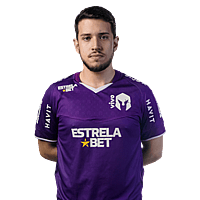
leo_drk
| Team |
 Free Agent Free Agent
|
|---|---|
| Country |
 Brazil Brazil
|
| Name | Leonardo Oliveira |
| Birthday | October 19, 1999 |
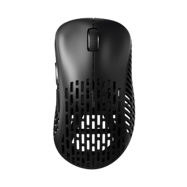

Pulsar Xlite Wireless
DPI
Sensitivity
eDPI
Zoom Sensitivity
Hz
Windows Sensitivity
- leo_drk uses these CS2 mouse settings: 800 DPI , sensitivity 0.9 (≈720.00 eDPI).
- leo_drk sets mouse polling rate to 1000 Hz for smoother input in CS2.
- Windows sensitivity is 6 to match their in-game feeling.
Crosshair
Style
Follow Recoil
Dot
Length
Thickness
Gap
Outline
Outline Thickness
Color
Red
Green
Blue
Alpha
Alpha Value
T Style
Deployed Weapon Gap
Sniper Width
- You can copy leo_drk’s CS2 crosshair instantly with the code CSGO-7WbhP-EbSWs-2Spam-OOus3-dptiB.
- This crosshair uses Follow Recoil set to No , length 2 and outline No .
- Alpha Value is 255, T Style is No and Deployed Weapon Gap is No.
- leo_drk prefers a clear, static crosshair that stays readable on all CS2 maps.
Viewmodel
FOV
Offset X
Offset Y
Offset Z
Presetpos
- leo_drk uses a CS2 viewmodel FOV of 62 to keep the weapon visible without blocking enemies.
- Offsets 1.5/0/-2 are tuned for maximum visibility around the crosshair.
HUD
HUD scale
HUD Color
- leo_drk uses a HUD Scale of 0.85 for a clear interface.
- HUD Color is set to Team Color.
Radar
Radar Centers The Player
Radar is Rotating
Toggle Shape With Scoreboard
Radar Hud Size
Radar Map Zoom
- Radar Centers The Player is set to Yes.
- Radar Rotation is set to Yes.
- Toggle Shape With Scoreboard is set to Yes.
- Radar HUD Size is 1.01.
- Radar Map Zoom is 0.43.
BOB
Lower AMT
AMT Lat
AMT Vert
Cycle
- leo_drk reduces weapon bob in CS2 (lower amt 5 , lat 0.10, vert 0.10 ) to keep the screen as stable as possible while moving.
- Lower bob helps with tracking targets and spraying without too much visual shake.
Video
Resolution
Aspect Ratio
Scaling Mode
Brightness
Display Mode
- leo_drk plays CS2 on 1280x1024 (5:4) with Stretched scaling.
- Display mode is set to Fullscreen for maximum focus and responsiveness.
- Brightness is kept around 130% so enemies don’t blend into dark areas.
Advanced video
Global Shadow Quality
Model / Texture Detail
Shader Detail
Boost Player Contrast
Multisampling Anti-Aliasing Mode
Texture Filtering Mode
Wait for Vertical Sync
NVIDIA Reflex Low Latency
Particle Detail
Ambient Occlusion
FidelityFX Super Resolution
NVIDIA G-Sync
Maximum FPS In Game
Dynamic Shadows
High Dynamic Range
- leo_drk tunes CS2 graphics for high FPS rather than pure visuals.
- Shadow quality, model detail and particle detail are kept at readable competitive values to reduce clutter.
- Multisampling Anti-Aliasing Mode is set to CMAA2.
- Boost Player Contrast is Enabled so enemies stand out more clearly.
- NVIDIA Reflex Low Latency is Enabled and NVIDIA G-Sync is Disabled.
- Dynamic Shadows are All, Ambient Occlusion is Disabled, HDR is Quality and FidelityFX Super Resolution is Disabled (Highest Quality).
Monitor Game Settings
- leo_drk uses monitor gaming settings that make enemies easier to spot in CS2.
Monitor Picture
- leo_drk keeps monitor picture settings focused on clarity rather than “pretty” colours.
Gear
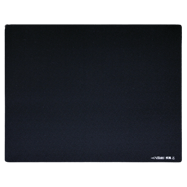
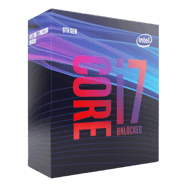
PC Specs

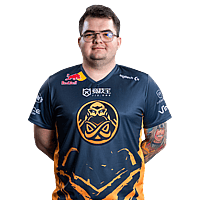
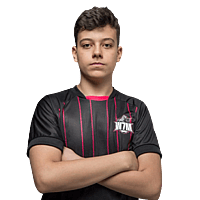
More CS2 pro player settings



FAQ – leo_drk CS2 settings
What mouse does leo_drk use?
leo_drk uses the Pulsar Xlite Wireless.
What sensitivity does leo_drk use?
leo_drk uses sensitivity 0.9.
What DPI does leo_drk use?
leo_drk uses 800 DPI.
What eDPI does leo_drk use?
leo_drk uses 720.00 eDPI.
What Hz does leo_drk use?
leo_drk uses 1000 Hz.
What crosshair code does leo_drk use?
The crosshair code is CSGO-7WbhP-EbSWs-2Spam-OOus3-dptiB.
What crosshair settings does leo_drk use?
leo_drk uses a crosshair with style Classic Static, gap -2, thickness 1, and length 2.
What resolution does leo_drk use?
leo_drk plays on 1280x1024.
What aspect ratio does leo_drk use?
leo_drk uses a 5:4 aspect ratio.
What brightness does leo_drk use in CS2?
leo_drk uses in-game brightness 130%.
What viewmodel does leo_drk use?
leo_drk uses viewmodel FOV 62, offset X 1.5, offset Y 0, and offset Z -2.
What HUD settings does leo_drk use?
leo_drk uses HUD Scale 0.85 and HUD Color Team Color.
What radar settings does leo_drk use?
leo_drk uses Radar Zoom 0.43, Radar HUD Size 1.01, and Radar Rotating Yes.
What team does leo_drk play for?
leo_drk currently plays for Free Agent.
leo_drk CS2 Settings Summary
Here you can quickly see the most important CS2 settings used by leo_drk, including mouse, sensitivity, crosshair code, resolution, HUD settings, radar settings, and graphics card setup.