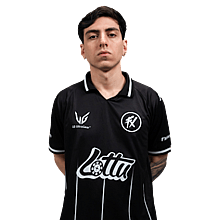
decenty
| Team |
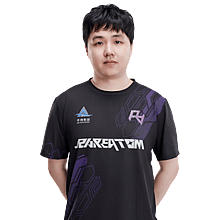
 Imperial Esports Imperial Esports
|
|---|---|
| Name | Lucas Bacelar |
| Birthday | March 1, 2004 |
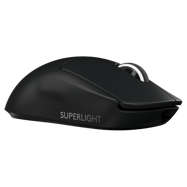

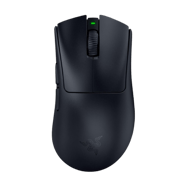
Logitech G Pro X Superlight 2 Black
DPI
Sensitivity
eDPI
Zoom Sensitivity
Hz
Windows Sensitivity
- decenty uses these CS2 mouse settings: 800 DPI , sensitivity 1 (≈800 eDPI).
- decenty sets mouse polling rate to 2000 Hz for smoother input in CS2.
- Windows sensitivity is 6 to match their in-game feeling.
Crosshair
Style
Follow Recoil
Dot
Length
Thickness
Gap
Outline
Outline Thickness
Color
Red
Green
Blue
Alpha
Alpha Value
T Style
Deployed Weapon Gap
Sniper Width
- You can copy decenty’s CS2 crosshair instantly with the code CSGO-4kjsE-PYqsb-RTkep-POw9z-DLpYF.
- This crosshair uses Follow Recoil set to No , length 1 and outline No .
- Alpha Value is 255, T Style is No and Deployed Weapon Gap is No.
- Sniper Width is set to 1.
- decenty prefers a clear, static crosshair that stays readable on all CS2 maps.
Viewmodel
FOV
Offset X
Offset Y
Offset Z
Presetpos
- decenty uses a CS2 viewmodel FOV of 68 to keep the weapon visible without blocking enemies.
- Offsets 1.5/0/-1.5 are tuned for maximum visibility around the crosshair.
HUD
HUD scale
HUD Color
- decenty uses a HUD Scale of 1 for a clear interface.
- HUD Color is set to Team Color.
Radar
Radar Centers The Player
Radar is Rotating
Toggle Shape With Scoreboard
Radar Hud Size
Radar Map Zoom
- Radar Centers The Player is set to Yes.
- Radar Rotation is set to Yes.
- Toggle Shape With Scoreboard is set to Yes.
- Radar HUD Size is 1.
- Radar Map Zoom is 0.8.
BOB
Lower AMT
AMT Lat
AMT Vert
Cycle
- decenty reduces weapon bob in CS2 (lower amt Unknown , lat Unknown, vert Unknown ) to keep the screen as stable as possible while moving.
- Lower bob helps with tracking targets and spraying without too much visual shake.
Launch options & config file
- decenty uses these CS2 launch options to optimise performance and input lag.
- Copy the launch string above into Steam to start CS2 with the same config as decenty.
Video
Resolution
Aspect Ratio
Scaling Mode
Brightness
Display Mode
- decenty plays CS2 on 1280x960 (4:3) with Black Bars scaling.
- Display mode is set to Fullscreen for maximum focus and responsiveness.
- Brightness is kept around 93% so enemies don’t blend into dark areas.
Advanced video
Global Shadow Quality
Model / Texture Detail
Shader Detail
Boost Player Contrast
Multisampling Anti-Aliasing Mode
Texture Filtering Mode
Wait for Vertical Sync
NVIDIA Reflex Low Latency
Particle Detail
Ambient Occlusion
FidelityFX Super Resolution
NVIDIA G-Sync
Maximum FPS In Game
Dynamic Shadows
High Dynamic Range
- decenty tunes CS2 graphics for high FPS rather than pure visuals.
- Shadow quality, model detail and particle detail are kept at readable competitive values to reduce clutter.
- Multisampling Anti-Aliasing Mode is set to 4x MSAA.
- Boost Player Contrast is Enabled so enemies stand out more clearly.
- NVIDIA Reflex Low Latency is Enabled and NVIDIA G-Sync is Disabled.
- Maximum FPS In Game is capped at 800.
- Dynamic Shadows are All, Ambient Occlusion is Medium, HDR is Quality and FidelityFX Super Resolution is Disabled (Highest Quality).
Monitor Game Settings
- decenty uses monitor gaming settings that make enemies easier to spot in CS2.
Monitor Picture
- decenty keeps monitor picture settings focused on clarity rather than “pretty” colours.
Skins
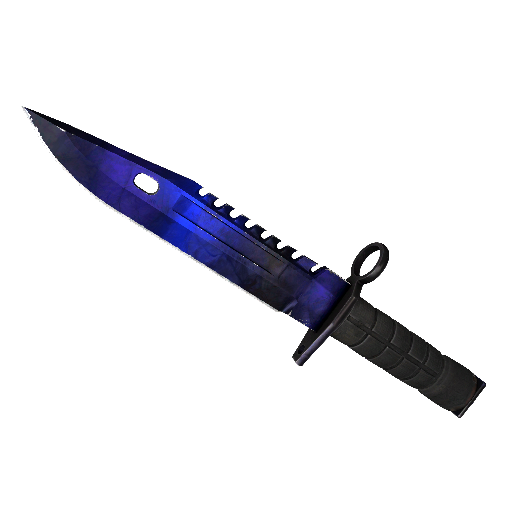
★ M9 Bayonet | Doppler Phase 4 (Factory New)
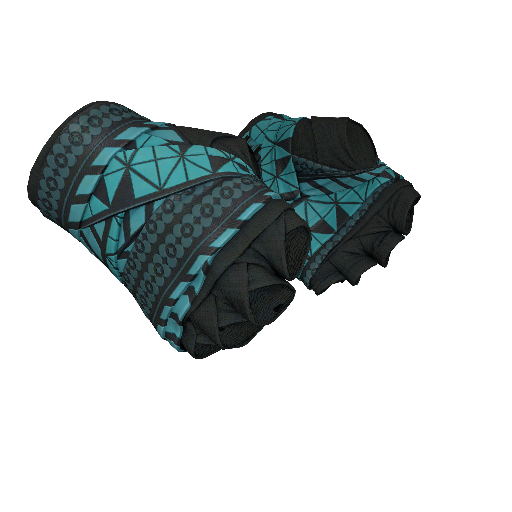
★ Hand Wraps | Overprint (Field-Tested)
Gear

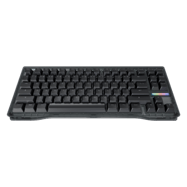
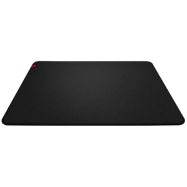

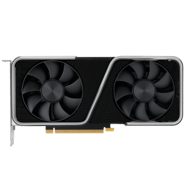
PC Specs
More CS2 pro player settings



FAQ – decenty CS2 settings
What mouse does decenty use?
decenty uses the Logitech G Pro X Superlight 2 Black.
What sensitivity does decenty use?
decenty uses sensitivity 1.
What DPI does decenty use?
decenty uses 800 DPI.
What eDPI does decenty use?
decenty uses 800 eDPI.
What Hz does decenty use?
decenty uses 2000 Hz.
What crosshair code does decenty use?
The crosshair code is CSGO-4kjsE-PYqsb-RTkep-POw9z-DLpYF.
What crosshair settings does decenty use?
decenty uses a crosshair with style Classic Static, gap -4, thickness 1, and length 1.
What resolution does decenty use?
decenty plays on 1280x960.
What aspect ratio does decenty use?
decenty uses a 4:3 aspect ratio.
What brightness does decenty use in CS2?
decenty uses in-game brightness 93%.
What viewmodel does decenty use?
decenty uses viewmodel FOV 68, offset X 1.5, offset Y 0, and offset Z -1.5.
What launch options does decenty use?
decenty uses the following launch options: -novid -tickrate 128.
What HUD settings does decenty use?
decenty uses HUD Scale 1 and HUD Color Team Color.
What radar settings does decenty use?
decenty uses Radar Zoom 0.8, Radar HUD Size 1, and Radar Rotating Yes.
What team does decenty play for?
decenty currently plays for Imperial Esports.
decenty CS2 Settings Summary
Here you can quickly see the most important CS2 settings used by decenty, including mouse, sensitivity, crosshair code, resolution, HUD settings, radar settings, and graphics card setup.