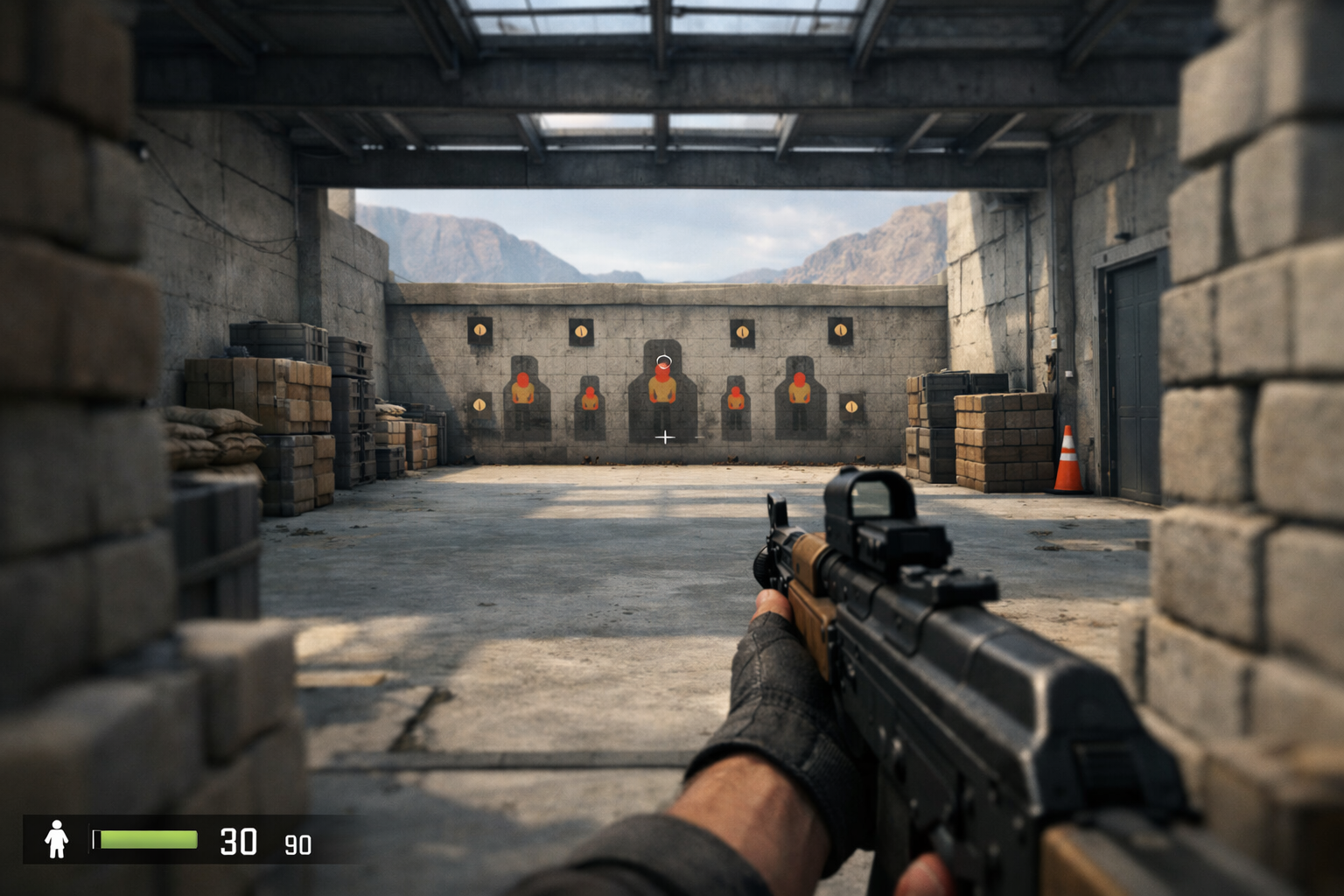
How to make a small crosshair in cs2
A small crosshair CS2 setup is a compact crosshair style that helps reduce screen clutter and sharpen your point of focus. If you want to make a small crosshair in CS2, the best approach is to lower size, keep thickness controlled, and test visibility before copying any pro-style setup.
TL;DR
- Lower size first, then tune thickness and gap so the crosshair stays visible.
- Test your small crosshair in medium, close, and long-range fights before changing it again.
- If visibility is poor, adjust color or thickness before making the crosshair larger.
If your current crosshair feels too large, busy, or distracting, shrinking it can make your screen easier to read. A small crosshair CS2 setup often works best for players who want a cleaner center point without covering heads at medium and long range.
Before changing random values, it helps to know what “small” should actually do. The goal is not to make the crosshair tiny at any cost. The goal is to keep it visible while reducing visual noise during peeks, taps, and spray corrections.
If you want examples before building your own, browse these CS2 crosshair examples to compare compact styles. You can also use the crosshair generator later to fine-tune size and gap more quickly.
Set the goal for a small crosshair CS2 setup
A small crosshair CS2 build should give you a precise center point without disappearing into bright walls, smokes, or player models. That balance matters more than copying the smallest possible settings.
In practical terms, a small crosshair usually means lower size, a controlled gap, and thickness that stays readable. Many players also prefer a static crosshair because movement feedback can make a tiny crosshair feel less stable.
This style tends to help most when you take first-bullet fights, hold tight angles, or prefer tapping over long sprays. It may help less if you struggle to track the center during fast close-range fights or if your monitor setup makes thin lines hard to see.
Build it in the right order
The easiest way to make a small crosshair in CS2 is to adjust the settings in a practical sequence. Changing everything at once makes it harder to tell which value improved the result.
- Start with a static style so the shape stays consistent.
- Lower the size until the crosshair no longer covers distant heads.
- Adjust thickness so the lines remain visible on bright surfaces.
- Tighten the gap carefully to keep a clear center point.
- Choose a color that stands out on most maps.
Size is the first setting to reduce because it defines how much space the crosshair occupies. If the size is too low, the crosshair can become hard to track during quick flicks. If it is still too high, you will keep covering the exact point you want to hit.
Thickness comes next because a small crosshair with very thin lines can vanish when the background gets noisy. In many cases, a slightly thicker line works better than making the crosshair larger again.
Gap is where many players overdo it. A very tight gap can feel precise, but it can also make the center look crowded. A slightly open center often gives better clarity, especially when you are holding head level on common angles.
Color is the final visibility check. Bright green, cyan, white, or yellow are common choices, but the best option depends on what stands out for you across Mirage, Inferno, and Ancient. Keep the outline minimal if you use one at all, since heavy outlines can make a small crosshair feel bulkier.
Apply the settings in a real match scenario
Once the crosshair looks good in the menu, test it in situations that reflect actual rounds. A small crosshair CS2 setup should stay readable when you clear corners, pre-aim common spots, and transfer between targets.
Start with medium-range duels because that is where a compact crosshair usually shows its value fastest. Hold an angle, let the enemy model enter your screen, and check whether the center point stays easy to place on the head.
Then test close-range fights. If the crosshair feels too tiny when targets swing wide, you may need a touch more thickness rather than more size. That keeps the compact feel while improving tracking.
Long-range fights are the final check. On maps with bright walls or detailed textures, a small crosshair can blend in more than expected. If that happens, change color first before changing the overall shape.
If you want a reference point, looking at a compact pro-style setup can help you understand the range many players prefer. This donk settings page is useful as an example, but you should still adjust values around your own visibility and aim habits.
Test, adjust, and avoid common mistakes
The biggest mistake is making the crosshair small just because it looks clean in screenshots. A small crosshair CS2 setup only works if you can find the center instantly during pressure.
Give each version a short testing block instead of changing values after every missed shot. Play several rounds, then ask one clear question: did the crosshair help you place the first bullet faster, or did it disappear when fights got messy?
Another common mistake is fixing visibility problems with size alone. Often, the better fix is color, thickness, or a slightly different gap. That keeps the crosshair compact without losing clarity.
You should also consider your full setup. Resolution, monitor sharpness, and frame stability can affect how a tiny crosshair looks in motion. If the image feels unclear during fast fights, improving overall smoothness can matter as much as the crosshair itself. For players checking hardware limits, this best GPU for CS2 guide can help explain performance tradeoffs.
There are cases where a very small crosshair may not suit you. If you mainly entry, take chaotic close fights, or lose the center during sprays, a slightly larger crosshair can be the better choice. Small is useful, but readable is more important.
Your next step: make one version and stick with it briefly
The best way to lock in a small crosshair CS2 setup is to create one sensible version, use it for a real session, and only then make small changes. Constant tweaking makes every miss feel like a settings problem.
Start with a compact static shape, keep the center clear, and prioritize visibility over style. If you want a faster way to build and compare versions, try the CS2 crosshair generator and save two or three close variations for testing.
A small crosshair CS2 setup can improve focus when it matches your screen, aim style, and map visibility. Build it in order, test it in real fights, and adjust only the setting that solves the exact problem you notice.
FAQ
What makes a crosshair feel small in CS2?
A small crosshair usually has reduced size, a controlled gap, and lines that do not take much screen space. The key is not just making it tiny. It should still stay visible on bright walls, during movement, and in fast fights where you need to find the center quickly.
Should I use a static small crosshair?
In many cases, yes. A static crosshair keeps the shape consistent, which can make a small setup easier to track during peeks and taps. If you rely on visual movement feedback, you may prefer dynamic behavior, but most players looking for a compact style start with static settings.
Why does my small crosshair disappear sometimes?
That usually happens because the color blends into the map, the thickness is too low, or your gap is too tight. It does not always mean the crosshair is too small overall. Try changing color or thickness first, then test again in real fights before increasing the size.