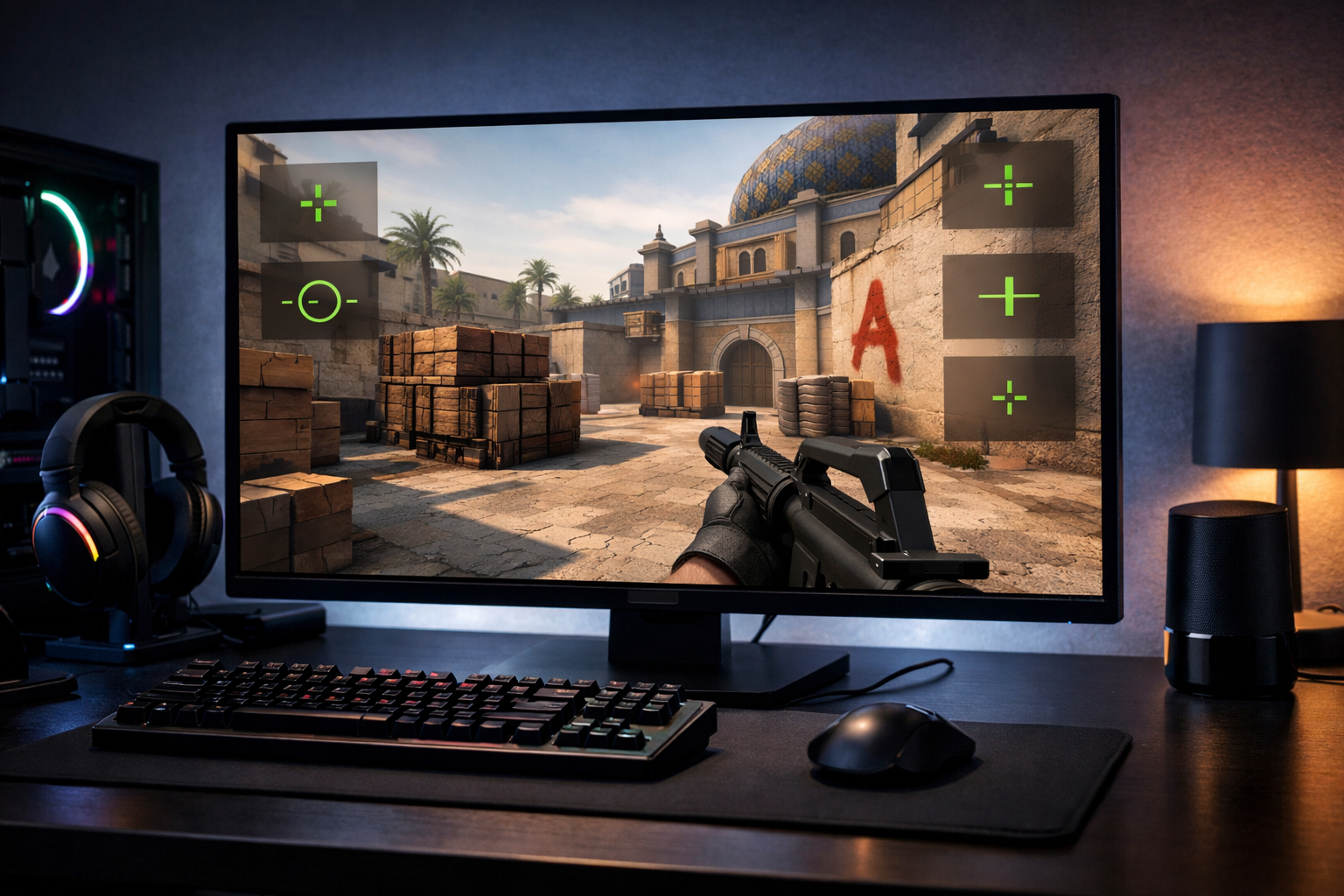
CS2 crosshair styles explained
CS2 crosshair styles affect how your aim point looks and reacts on screen. CS2 crosshair styles are the visual behavior presets and design choices that can change clarity, tracking, and comfort. If you want cleaner target focus, understanding each style helps you choose a crosshair that fits your aim habits.
TL;DR
- CS2 crosshair styles define how your crosshair behaves, not just how it looks.
- Static styles favor consistency, while dynamic styles add movement and firing feedback.
- Choose a style based on readability in real fights, then fine-tune gap, size, and thickness.
When players talk about crosshairs in Counter-Strike 2, they often mix up style, size, thickness, gap, and color. Style is the part that controls how the crosshair behaves, not just how it looks in a screenshot. That matters because behavior can change how easy it is to read your aim point during movement, spraying, and fast target switches.
If you want a broader reference before changing anything, the CS2 crosshair guide gives a useful overview of common setups and terms. From there, it becomes easier to understand why one style feels stable and another feels distracting.
What CS2 crosshair styles actually mean
CS2 crosshair styles describe the rule set behind the crosshair. In simple terms, the style decides whether the crosshair stays fixed, expands with movement, reacts to weapon actions, or appears as a minimal dot-like center point.
Many players use “style” as a shortcut for the whole crosshair, but that is not fully accurate. A classic static crosshair and a classic dynamic crosshair can share the same color and thickness while feeling very different in play.
The most common way to think about CS2 crosshair styles is by grouping them into a few practical categories:
- Static styles that stay visually consistent
- Dynamic styles that expand or shift with actions
- Dot-focused styles with a tiny center reference
- Hybrid looks that combine a small cross with a center dot
Static styles are popular because they keep the same visual reference at all times. Dynamic styles can show movement or firing feedback, which some players like for learning timing and accuracy. Dot and hybrid options reduce visual clutter, but they can also feel too small if your monitor distance or resolution makes the center hard to track.
Why crosshair style matters during real rounds
CS2 crosshair styles matter because aiming in CS2 is not only about raw precision. It is also about how quickly your eyes find the center of the screen under pressure. A style that looks clean in a menu can feel poor when you clear angles, transfer spray, or fight through utility.
Static styles often help with consistency. Since the shape does not react much, your brain gets one stable reference point for taps, bursts, and pre-aim. That is one reason many players prefer them for standard rifling.
Dynamic styles can be useful in a different way. They provide visual feedback when you move or fire, so they can highlight when your accuracy is worse. For newer players, that can make movement mistakes easier to notice.
The downside is that dynamic behavior can pull attention away from the target. In many cases, the expanding lines become extra motion on screen, which can make precise head-level tracking feel less calm.
Screen clarity also changes how a style feels. On a fast display such as the Alienware AW2524H monitor, small crosshair details can appear sharper during flicks and strafes. Even then, the best style is still the one your eyes read fastest, not the one with the most features.
Common crosshair styles and how they feel
The easiest way to understand CS2 crosshair styles is to compare how each one behaves in common aim situations. The goal is not to label one style as best for everyone. The goal is to match the visual behavior to your habits.
Static crosshair
A static crosshair stays mostly unchanged while you move and shoot. This makes it the cleanest option for many players, especially if they rely on pre-aim and first-bullet placement.
It usually feels best for players who want a calm center point. If you already understand counter-strafing and recoil basics, static styles can reduce distraction and keep your focus on enemy models.
Dynamic crosshair
A dynamic crosshair expands or shifts based on movement and firing. It gives immediate feedback, which can help players see when they are inaccurate due to motion or spray.
That feedback can be useful in practice, but some players stop liking it in matches. The movement of the crosshair itself can compete with the movement of the enemy, especially in close fights.
Dot and hybrid styles
Dot styles strip the crosshair down to a tiny center point. Hybrid styles keep a small cross while adding a center dot for extra reference. Both can feel very precise when holding tight angles.
The tradeoff is visibility. A tiny dot can disappear against bright surfaces or during fast camera movement. Hybrid styles solve some of that by keeping a clearer outline without becoming too bulky.
If you want to compare examples quickly, the crosshair generator is a practical way to preview different shapes and gaps before committing. It helps turn abstract terms into something you can actually judge on screen.
Related terms players often confuse with style
Style is only one part of the full crosshair setup. Players often blame the style when the real issue is size, gap, outline, or color contrast.
Gap controls the empty space in the middle. A tighter gap can feel more precise for headshots, while a wider gap can make the target easier to see through the center. Thickness changes how bold the lines look, and length affects how easy the crosshair is to notice in peripheral vision.
Color matters more than many players expect. A strong color can improve visibility across maps, but too much brightness can feel harsh. Outlines can help on mixed backgrounds, though they also add visual weight.
Another common misunderstanding is copying a pro setup without understanding why it works. Looking at a page like Xyp9x CS2 settings can give context for how experienced players structure their setup, but it should be a reference point rather than a rule.
Mouse feel also interacts with crosshair choice. A very light mouse such as the Logitech G Pro X Superlight can make micro-adjustments feel quicker, which sometimes pairs well with smaller static or hybrid crosshairs. Still, the crosshair should support your visual comfort first.
How to choose the right style for your own play
The best approach is to treat CS2 crosshair styles as visual tools, not skill upgrades. Start by deciding what problem you want to solve. If your crosshair feels distracting, move toward static. If you struggle to notice movement inaccuracy, try dynamic in practice. If your center feels bulky, test a dot or small hybrid.
Use one style for several sessions before judging it. Switching every few rounds makes it hard to tell whether the issue is the style or your form that day. Keep the rest of the setup close to stable while you compare.
A simple testing process works well:
- Play deathmatch with one style for at least a full session
- Check whether the center stays easy to track in sprays
- Notice if the crosshair blocks heads at long range
- Adjust gap and thickness before abandoning the style
For most players, a static or lightly minimal hybrid setup is the safest starting point. It keeps the screen readable and supports standard CS2 aiming habits. Dynamic styles still have value, especially for learning, but many players eventually prefer less motion in the center of the screen.
The practical next step is simple: compare a few examples, keep your tests controlled, and choose the style that stays readable in real fights. CS2 crosshair styles are useful only when they help you see the center faster and aim with less hesitation.
FAQ
What are CS2 crosshair styles exactly?
CS2 crosshair styles are the behavior presets behind your crosshair. They control whether it stays fixed, expands with movement, reacts to firing, or appears as a minimal dot or hybrid shape. Style is different from color, gap, thickness, and size.
Which crosshair style is best for most players?
For many players, a static crosshair is the easiest starting point because it stays visually stable during fights. It often feels cleaner for pre-aim and first-bullet accuracy. A small hybrid style can also work well if you want a clearer center point.
Should beginners use dynamic or static crosshairs?
Beginners can benefit from dynamic crosshairs in practice because the movement feedback makes accuracy mistakes easier to notice. In matches, though, many players switch to static styles once they understand movement and recoil, since a stable center usually feels less distracting.