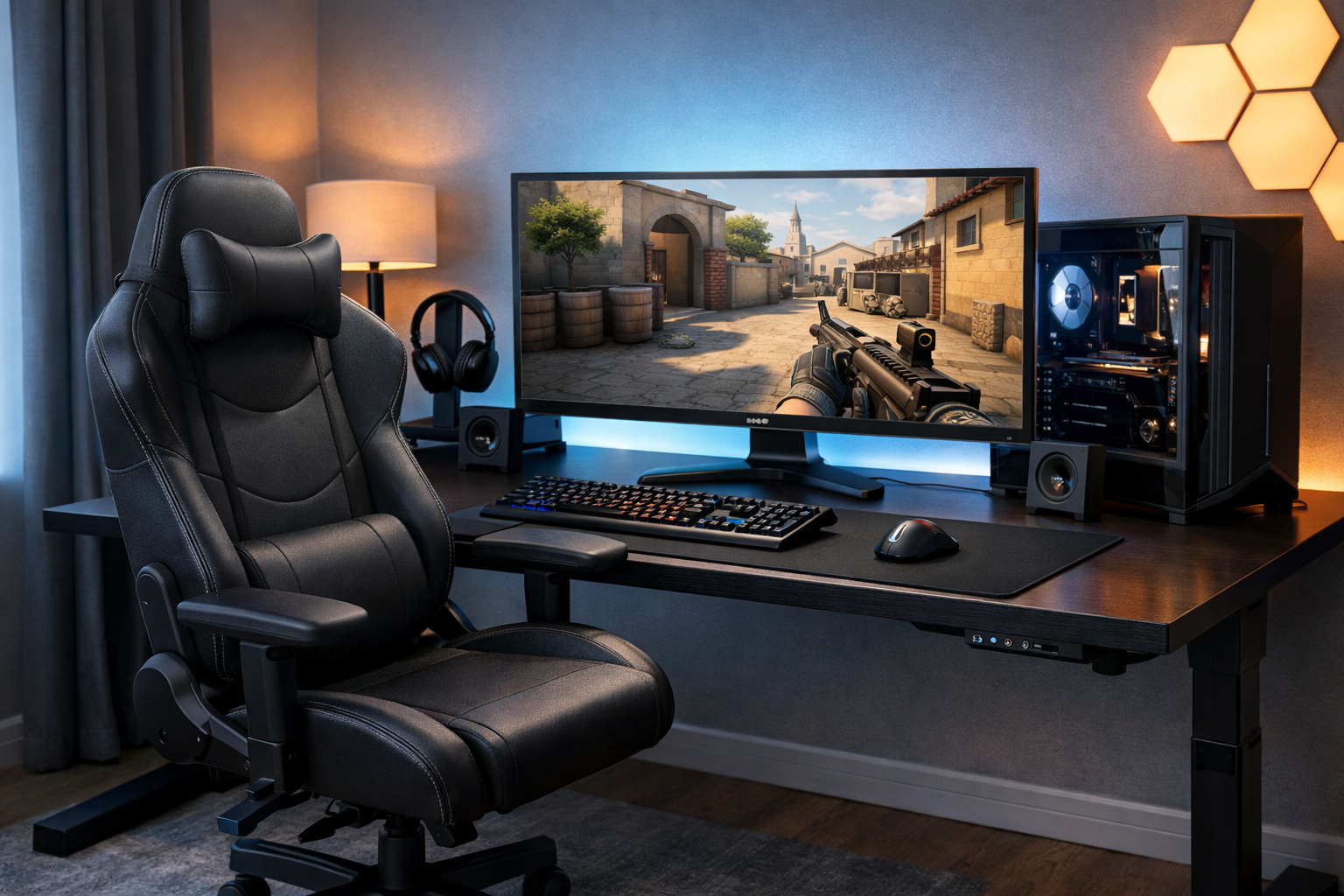
Best chair setup for cs2 aim and posture
The best chair setup for CS2 is the one that keeps your aim stable without forcing your back, shoulders, or wrists into awkward angles. For most players, that means a neutral seated position, adjustable arm support, and a chair that fits the desk rather than just feeling soft.
TL;DR
- For most players, an ergonomic or task-style chair setup works better than a bulky racing-style gaming chair.
- Seat height, armrest clearance, and slight recline matter more for CS2 aim than soft padding or visual design.
- Pick the setup that keeps shoulders relaxed and mouse movement repeatable across full sessions.
Choosing the best chair setup for CS2 is less about brand names and more about how your body lines up with your mouse, keyboard, and monitor. A chair can help recoil control, tracking, and long-session comfort, but only if its adjustments support a repeatable posture.
Many players focus on mouse shape first, which makes sense, especially if you are comparing options like the best mouse for CS2. Still, your chair setup affects how consistently that mouse feels from round to round.
What actually matters when choosing a CS2 chair setup
The best chair setup for CS2 should support three things at once: stable arm movement, relaxed shoulders, and a pelvis position that does not collapse after an hour. If one of those breaks down, your crosshair control often gets worse before you notice obvious discomfort.
Seat height is the first decision point. Your feet should stay flat, your knees should sit around hip level, and your forearms should meet the desk without your shoulders lifting. If the chair is too low, you tend to shrug and drag the mouse with extra tension.
Seat depth matters more than many players expect. If the seat pushes into the back of your knees, you often slide forward and lose lumbar support. If it is too short, you may feel perched and unstable during wider swipes.
Backrest angle should usually stay slightly open rather than fully upright or heavily reclined. A small recline can reduce lower-back pressure, but too much lean changes your arm position and makes your mouse path less repeatable.
Armrests are useful when they adjust low enough, narrow enough, and close enough to the desk. Fixed or bulky armrests can block your setup and force your elbows outward, which often hurts micro-adjustments.
- Seat height should let feet stay planted and shoulders stay relaxed.
- Seat depth should support the thighs without pressing the knees.
- Armrests should help the forearms without colliding with the desk.
- Backrest recline should feel supported, not lounge-like.
- Chair width should allow natural elbow movement for your aim style.
Desk fit is the hidden factor. Even the best chair setup for CS2 can fail if the armrests sit above desk height or the seat cannot rise enough for your preferred monitor and mousepad position. The chair has to work with the whole station, not in isolation.
Main chair setup options and how they affect aim
There are three common directions players take: upright task-chair setups, lightly reclined ergonomic setups, and racing-style gaming chair setups. Each can work, but they do not support aim and posture equally well.
Upright task-chair setup
This option usually favors a flatter seat, firmer back support, and easier desk access. It often works well for CS2 because it keeps your torso close to the desk and makes forearm placement more consistent.
The benefit is control. Your shoulders can stay neutral, and your elbow angle is easier to repeat. The limitation is that some task chairs feel too rigid if you play for many hours without small posture changes.
Lightly reclined ergonomic setup
This is often the safest all-around choice for the best chair setup for CS2. You get lumbar support, adjustable armrests, and a slight recline that reduces fatigue without turning your posture passive.
Its main benefit is balance. You can stay comfortable through long sessions while keeping enough forward access for precise flicks and spray control. In many cases, this setup suits players who mix aim training, matchmaking, and general PC use.
Racing-style gaming chairs can still work if they fit your body and desk well, but they often prioritize side bolsters and visual style over arm freedom. Large shoulder wings or fixed cushions can interfere with natural upper-body position.
That does not mean they are unusable. It means the best chair setup for CS2 usually comes from adjustability and desk compatibility, not from a chair being labeled for gaming.
If you are already refining the rest of your station, it helps to compare chair fit with other gear choices, such as the best keyboard for CS2, because keyboard height and width can change elbow spacing and wrist angle.
Which setup fits your playstyle and body position
Low-sensitivity players often need more lateral freedom. They usually benefit from a chair that allows open elbow movement, lower armrests, and a seat that keeps the hips stable during large swipes. Tight side bolsters can become a real limitation here.
Higher-sensitivity players may tolerate a slightly more contained setup because they rely less on broad arm movement. Even then, shoulder relaxation still matters. Tension in the upper traps can make small corrections feel shaky.
If you anchor a lot of forearm on the desk, prioritize seat height and armrest clearance. Your chair should let the forearm rest naturally without forcing wrist extension. If you hover the arm more, back support becomes even more important because the torso has to stay stable on its own.
Players who grind long sessions should lean toward the ergonomic middle ground rather than the most aggressive upright posture. A setup that feels sharp for twenty minutes can become inconsistent after two maps if your lower back and neck start compensating.
Looking at how structured setups are built can help. For example, a Ax1Le settings page is useful for seeing how competitive players organize gear and sensitivity choices, even though chair preference itself is highly individual.
If your monitor sits high or your desk is thick, you may need a taller chair range or a footrest to preserve the same angles. The best chair setup for CS2 is always conditional on desk height, monitor placement, and how much arm contact you prefer.
A simple recommendation path for most CS2 players
If you want the clearest answer, start with an ergonomic or task-style chair that has adjustable seat height, adjustable armrests, and a backrest that supports a slight recline. That is the best chair setup for CS2 for most players because it supports both aim consistency and sustainable posture.
Set the chair so your feet are flat and your hips are not lower than your knees. Then bring the armrests down until they lightly support the forearms without pushing the shoulders up. After that, move close enough to the desk that your mouse arm can work without reaching.
Next, test two backrest positions: nearly upright and slightly reclined. Use each for a full deathmatch or aim routine. The better option is the one that keeps your spray control and tracking stable while reducing tension, not the one that feels softer at first sit.
Once the chair is dialed in, check the rest of the setup. Monitor clarity and frame stability also affect how posture feels over time, so broader hardware choices like the best GPU for CS2 can matter if you are rebuilding the whole station.
For a practical next step, lock your chair settings for a week before making more changes. Then fine-tune your visual consistency with the crosshair generator tool so you can judge aim changes without mixing too many variables at once.
Final recommendation: choose the chair setup that keeps your shoulders low, forearms supported, and hips stable, even if it feels less dramatic than a typical gaming chair posture. In most cases, the best chair setup for CS2 is the most adjustable and repeatable one, not the most padded or aggressive-looking option.
Quick comparison
| Focus | Why it matters |
|---|---|
| Comfort | Helps the reader choose a more reliable path. |
| Control | Makes the practical outcome easier to understand and repeat. |
| Fit | Should match the reader’s goal, situation, and constraints instead of chasing generic advice. |
FAQ
Does a gaming chair improve aim in CS2?
A chair can improve aim indirectly by helping you keep the same arm and shoulder position every round. Better posture often reduces tension and makes mouse movement more repeatable. The chair itself does not add precision, but the right setup can support steadier tracking and spray control.
Should armrests touch the desk while playing?
Usually, armrests should sit close to desk height without blocking your position. Light forearm support can reduce fatigue, but hard contact with the desk can limit movement. The goal is to support the arms enough to relax the shoulders while keeping your mouse path free and natural.
Is upright or reclined posture better for CS2?
A slightly open backrest is often the better middle ground. Fully upright posture can feel sharp at first but may create tension over longer sessions. Heavy recline can reduce control by changing your arm angle. In many cases, a mild recline gives the best mix of comfort and repeatable aim.