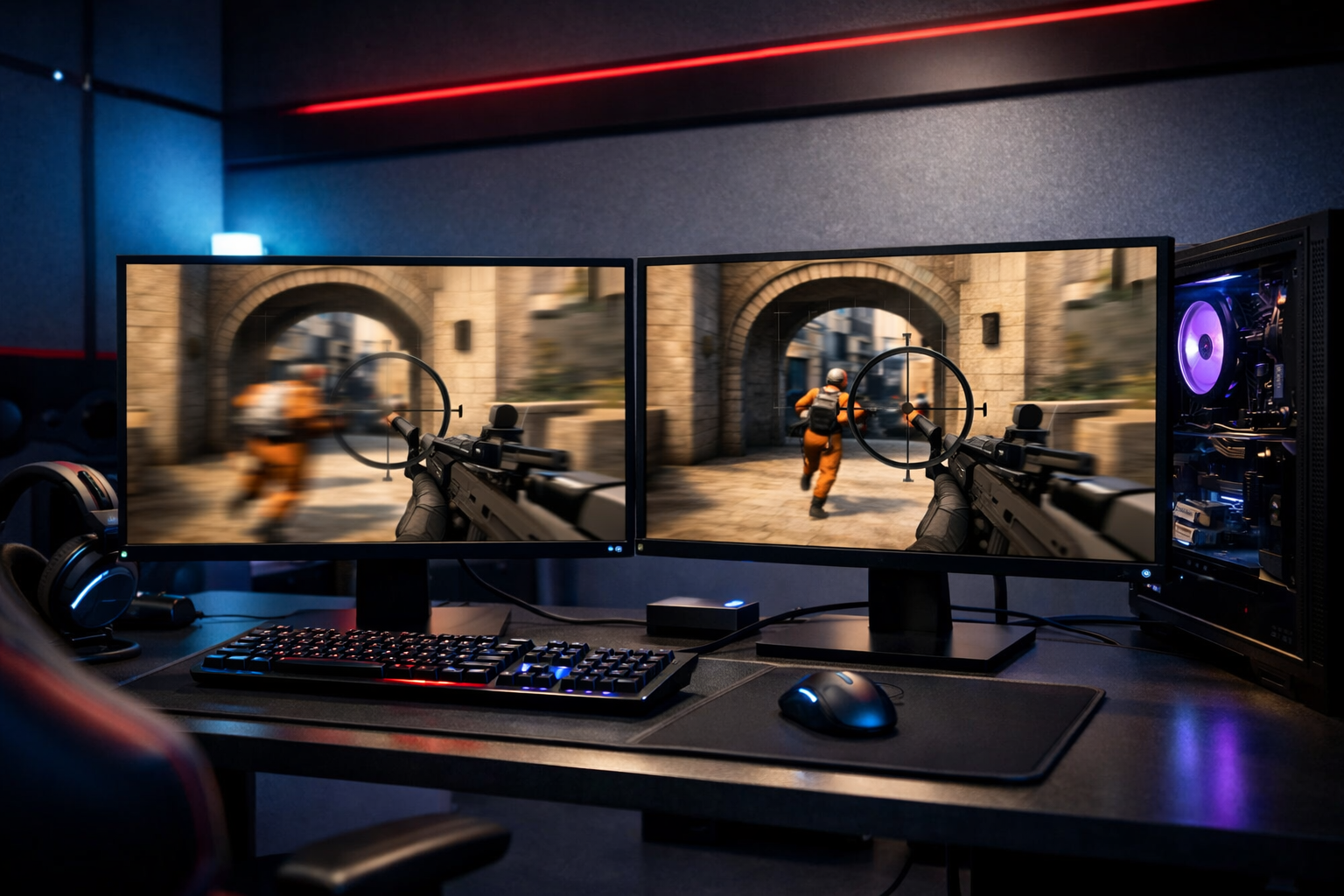
240hz vs 360hz for cs2: which refresh rate makes more sense?
240hz vs 360hz cs2 is mainly a question of diminishing returns. The core difference is simple: 360Hz updates the image more often, which can improve motion clarity and input feel, but 240Hz already delivers a very strong CS2 experience for most players.
TL;DR
- 240Hz is the better value choice for most CS2 players and already feels highly responsive.
- 360Hz offers slightly cleaner motion and input feel, but the upgrade is usually a marginal gain.
- Choose 360Hz only if your PC sustains very high FPS and you want every small competitive edge.
If you are deciding between 240Hz and 360Hz for Counter-Strike 2, the right choice depends less on hype and more on your full setup, skill level, and budget. In a 240hz vs 360hz cs2 comparison, both options are fast, but the jump from 240Hz to 360Hz is much smaller than the jump from 144Hz to 240Hz.
That smaller gap matters because CS2 rewards consistency more than spec chasing. If your PC cannot hold very high frame rates, or your aim fundamentals still need work, the extra refresh rate can feel subtle compared with better mouse control, cleaner crosshair choices, or stronger positioning. If you want to tune the rest of your setup first, this CS2 crosshair guide is a useful place to start.
240Hz and 360Hz in CS2: what each one actually gives you
A 240Hz monitor refreshes the image 240 times per second. A 360Hz monitor does it 360 times per second. In practical CS2 terms, 360Hz can show slightly more up-to-date visual information during fast peeks, tracking, and spray transfers.
That does not mean 240Hz is slow. For many players, 240Hz already feels very smooth, responsive, and easy to read in fights. The main benefit of 360Hz is refinement, not transformation.
To get the full benefit, your system also needs to feed the monitor enough frames. If your frame rate often drops below the panel refresh rate, the advantage shrinks. A 360Hz display is most useful when your PC can stay near that level in real matches, not just in empty servers.
Panel quality also matters. A well-tuned 240Hz monitor with strong response times can feel better than a weaker 360Hz panel. If you want an example of a display built around high refresh competitive play, the ASUS ROG Swift 360Hz shows the kind of monitor people compare against in this category.
Where the real differences show up in matches
| Factor | 240Hz | 360Hz |
|---|---|---|
| Motion clarity | Very clear in most fights | Slightly cleaner during fast movement |
| Input feel | Very responsive | A bit more immediate |
| Value | Usually better | Usually more expensive |
| PC demand | High but manageable | Needs very high stable FPS |
| Best fit | Most competitive players | High-level grinders and specialists |
The biggest difference is usually motion clarity during fast camera movement. When you swing into a site, clear angles, or track a strafing target, 360Hz can make the image look a bit steadier. That can help you read enemy movement a touch earlier.
Input feel is the second area. Mouse movement can feel slightly more connected on 360Hz, especially for players who already notice small timing differences. In CS2, that matters most in first-bullet duels and micro-adjustments around head level.
Still, the gain is not equal for everyone. Many players will notice 240Hz immediately when upgrading from 144Hz, but fewer will feel a dramatic jump from 240Hz to 360Hz. In many cases, the benefit is real but small.
There is also a tradeoff outside the monitor itself. To exploit 360Hz, you often lower settings, optimize Windows, and chase stable frame pacing. If your mouse shape or comfort is still inconsistent, that can hold you back more than refresh rate. For example, a reliable shape like the VAXEE ZYGEN NP-01 can affect day-to-day aim comfort more than a narrow refresh upgrade.
Who should choose 240Hz, and who should choose 360Hz?
Choose 240Hz if you want the best balance of performance and price. It suits most serious CS2 players, from ranked grinders to team players, because it already gives excellent smoothness without demanding the most expensive setup.
240Hz also makes more sense if your frame rate is inconsistent. If your PC sits around 220 to 320 FPS depending on map and utility, 240Hz is easier to match in real play. That usually leads to a more sensible upgrade path.
Choose 360Hz if you are already deep into competitive CS2 and your system can sustain very high FPS. The players who benefit most are often those with polished mechanics who can actually feel and use tiny gains in visual clarity and timing.
360Hz can also make sense if you are building a setup around every small edge and you play enough to justify the cost. That does not mean it will suddenly raise your level. It means it can support a high-level routine where small differences matter.
If you are still refining core settings, spend time on the basics before paying extra for refresh rate. Crosshair visibility, sensitivity comfort, and desk ergonomics often produce clearer results first. You can compare setup ideas through the VAXEE gear pages if you are still shaping your overall competitive setup.
The tradeoffs: value, feel, and diminishing returns
The strongest argument for 240Hz is value. It gets you close to top-tier smoothness while leaving room in your budget for a better mouse, mousepad, or PC upgrade. In a 240hz vs 360hz cs2 decision, that broader balance is hard to ignore.
The strongest argument for 360Hz is precision at the margin. If you already have strong fundamentals and a system that can keep up, the extra refresh rate can make the game feel cleaner in fast engagements. That edge is small, but some players care about exactly that.
There are a few practical pros and cons to keep in mind:
- 240Hz: better price-to-performance for most players
- 240Hz: easier to pair with realistic in-game FPS
- 360Hz: slightly better motion clarity and immediacy
- 360Hz: higher cost with smaller visible gains
The key is not to confuse measurable improvement with meaningful improvement. Yes, 360Hz is faster. But meaningful improvement depends on whether you can notice it, maintain the FPS, and convert that smoother image into better decisions and cleaner shots.
Verdict: which refresh rate makes more sense for CS2?
For most players, 240Hz is the smarter buy. It delivers excellent responsiveness, strong clarity, and better overall value. In most 240hz vs 360hz cs2 cases, 240Hz is enough to support high-level play without overspending.
360Hz is the better pick for a narrower group. If you play CS2 seriously, hold very high stable FPS, and want every small competitive edge, 360Hz can be worth it. The gain is real, but it is a marginal upgrade rather than a dramatic one.
If you want the short version, buy 240Hz unless you already know why 360Hz fits your setup. That is the most balanced answer to 240hz vs 360hz cs2, and it stays true even for many experienced players.
FAQ
Is 360Hz noticeably better than 240Hz in CS2?
It can be, but the difference is usually modest. 360Hz often looks a bit cleaner during fast movement and can feel slightly more immediate. Most players notice the jump from 144Hz to 240Hz more clearly than the jump from 240Hz to 360Hz.
Do you need 360 FPS for 360Hz CS2?
You do not need a perfect locked 360 FPS at every moment, but you need very high and stable frame rates to justify the monitor. If your FPS often falls well below 360 in matches, the practical advantage over 240Hz becomes smaller.
Should most competitive players buy 240Hz or 360Hz?
Most competitive players should start with 240Hz because it offers a stronger price-to-performance balance. It is already fast enough for serious CS2, and the money saved can often improve the rest of the setup more than a smaller refresh-rate jump.